Government agencies communicate via .gov.sg websites (e.g. go.gov.sg/open). Trusted websites
Look for a lock () or https:// as an added precaution. Share sensitive information only on official, secure websites.
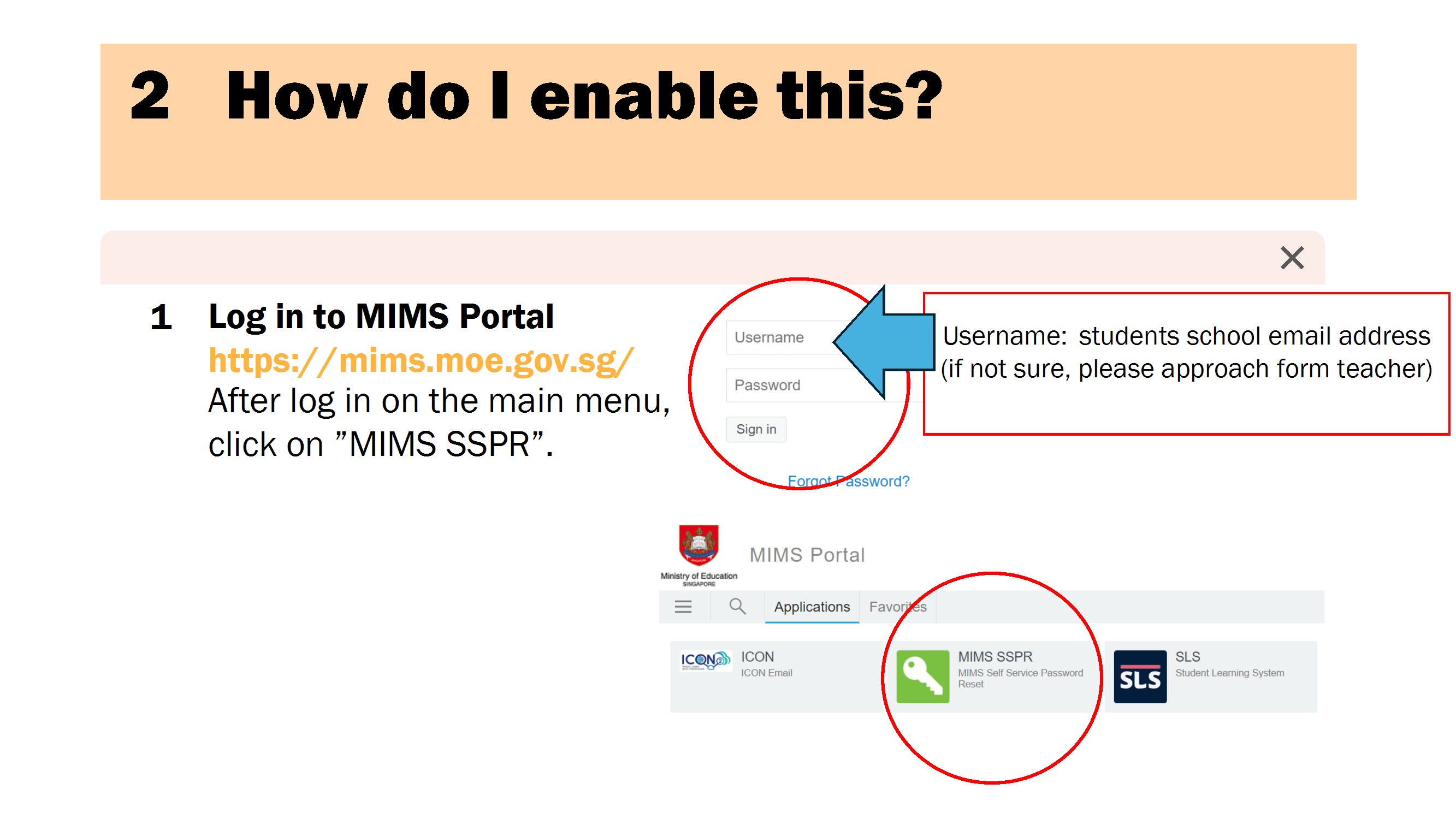
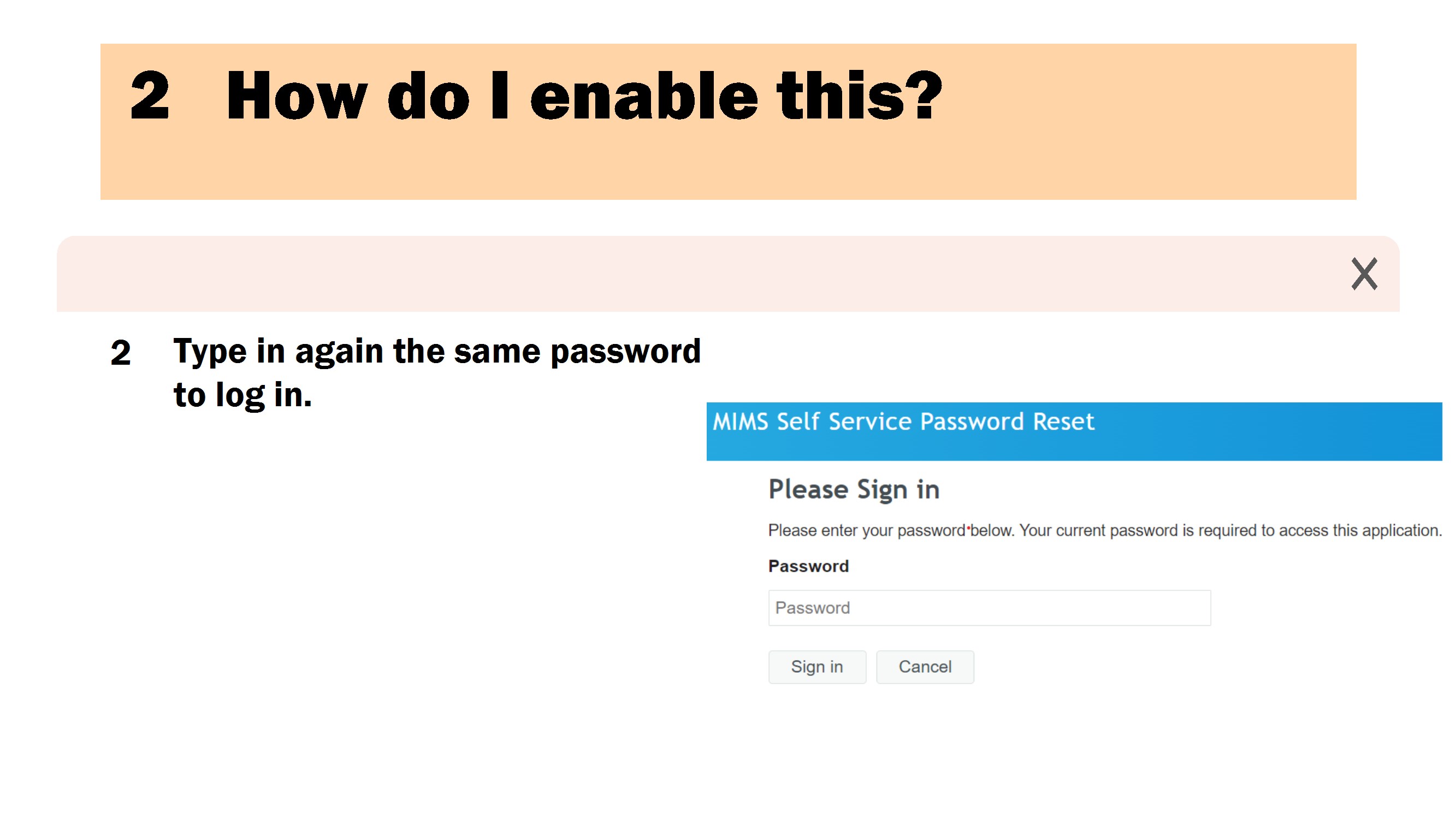
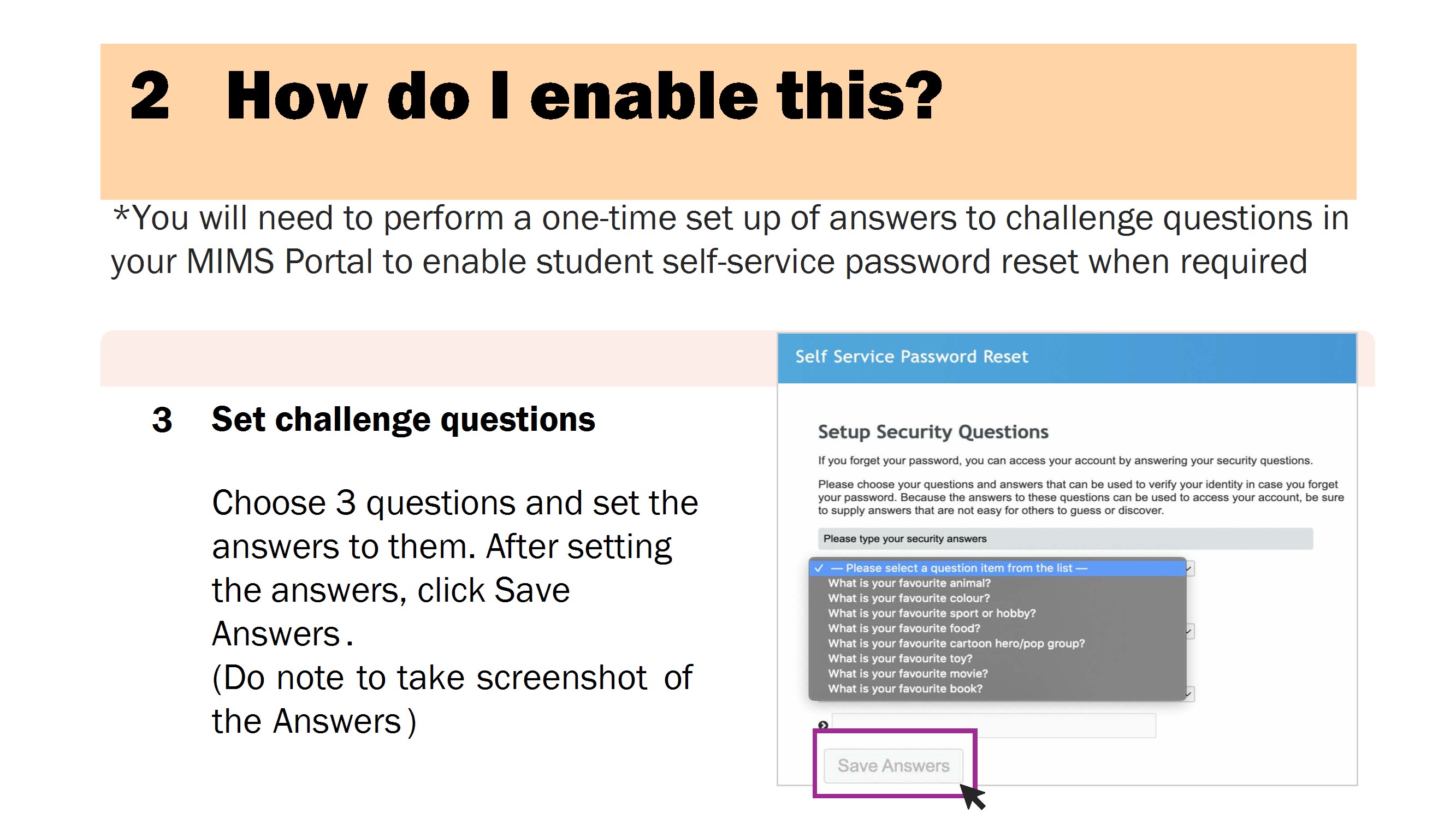
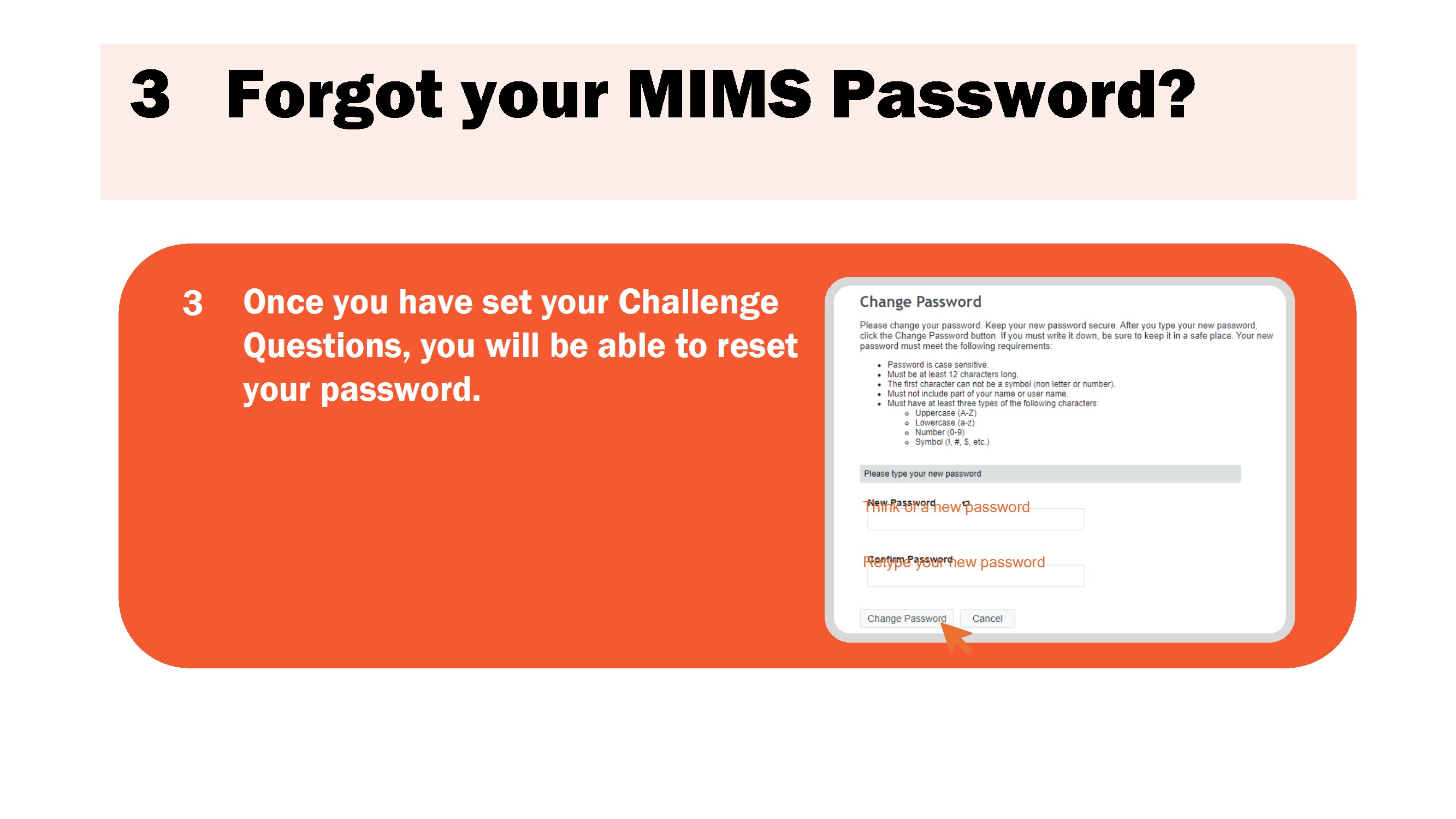
Password Self Reset Guide
2026 Booklist
2026 Class Timetable (updated 25 Jun 2026)
Student Account Recovery Request Form
Useful Student Links
MOE DMA Uninstallation For Graduating Classes
PREVIOUS
NEXT

 ) or https:// as an added precaution. Share sensitive
information only on official, secure websites.
) or https:// as an added precaution. Share sensitive
information only on official, secure websites.